
image
Enter the COLOMBITRADE Vault: Get up to 200 Trades FOR FREE by signing up for a Trading account today.Open a Stock Trading and Bank Account today. The world is yours.

Open Account Today
image
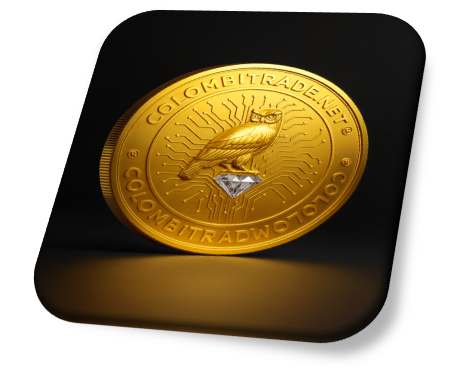
Secure Your Coin. Anchor Your Future: COLOMBITRADE™ isn’t just a platform—it’s your launch corridor into blockchain sovereignty. Every coin secured is a testimony to secure your future in a vessel of legitimacy.

Read the Full Story
image
Activate Your Blockchain Sovereignty: Activate your blockchain sovereignty to protect and empower your future and leverage your position. 

* * *
image image image
Free
$0 per month
2 Users
1 GB Storage
No Customization
⊕ iPhone App
Sign Up Now Sign Up to get access now!
Basic
$29 per month
10 Users
5 GB Storage
Basic Customization
⊕ iPhone App
⊕ Basic Audit Trail
Sign Up Now Sign Up to get access now!
Pro
$49 per month
50 Users
25 GB Storage
Full Customization
⊕ iPhone App
⊕ Full Audit Trail
⊕ Enhanced Security (SSL)
⊕ Custom Domains
Sign Up Now Sign Up to get access now!
Enterprise
$199 per month
Unlimited Users
100 GB Storage
Full Customization
⊕ iPhone App
⊕ Full Audit Trail
⊕ Enhanced Security (SSL)
⊕ Custom Domains
Sign Up Now Sign Up to get access now!

Image
  • What is the RokFeatureTable Module?
RokFeatureTable is a module is designed to show tabular data in a stylistic, and easy to present manner. The module is downloadable with the other Omnicron extensions.
  • How do I configure the module?
  • Go to Admin → Extensions → Module → RokFeatureTable
  • Select the Settings icon adjacent to Layout Settings
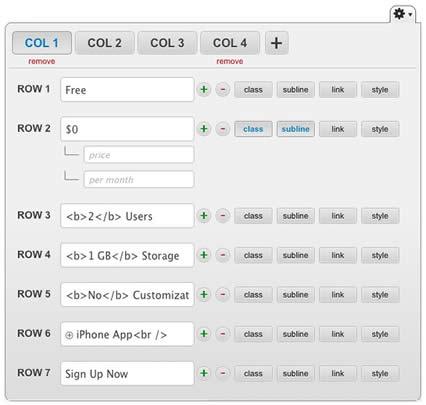
  • Here, you will be presented with a interactive grid:
    • Select the + / - icons to add / delete columns / rows
    • Insert raw text or HTML into the input boxes
    • Click the class, subline, link or style buttons to activate new input boxes
  • Options: Highlight Column, Built-in CSS & Preset Template.

Image
  • What is Fusion Menu?
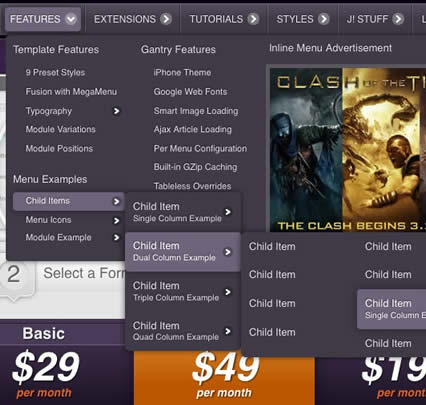
Fusion Menu is a menu theme for RokNavMenu, our core menu component. It is a javascript enhanced CSS dropdown menu, that combines standard suckerfish type functionality with animations, transitions and other effects via Mootools.
  • What are the MegaMenu Features for Fusion?
  • Mutli-Columns: Up to 4 columns for each dropdown level.
  • Grouped Items: Display child items inline in the dropdown.
  • Column Width: Set the width of every dropdown column.
  • Inline Modules: Insert modules inside the dropdown
  • Inline Positions: Insert a module position into the dropdown.
Fusion Menu Documentation

Logo Editing

Gantry sets the dimensions of the logo, so CSS modification is unnecessary.

Logo Editing Requirements

  • Adobe® Fireworks: CS5 is preferred, but CS3/4 will be sufficient.
  • Logo Font: Download and install before proceeding to edit in Fireworks.
  • Source File: Download the logo-source.png file from the rt_omnicron_j15-sources.zip package.

Step 1 - Open the File

  • Open the logo-source.png file in Adobe® Fireworks.
Logo
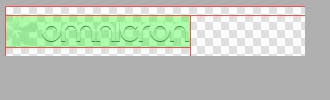
  • Focus on the right column, titled Layers. Select the Web layers directory and click the eye icon to the left of the logo slice (the green object). This will make the slice invisible so you can edit the file.

Step 2 - Text/Slogan/Icon Editing

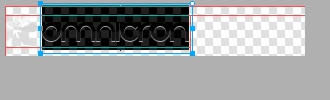
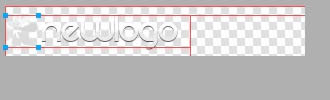
  • Double click on the logo text. Now you can edit the text of logo to your choosing.
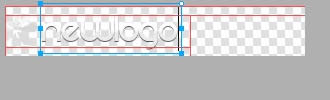
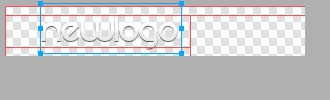
Logo Logo
  • Now, select the icon and disable/edit it as you wish.
Logo Logo

Step 3 - Slice Modification

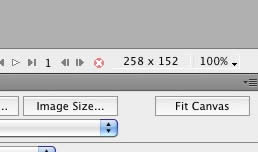
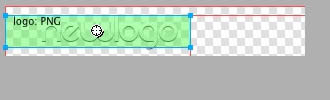
  • Reactivate the Slice in the Web Layers column, this will place a green rectangle over the logo image. Change the size of the slice (or move it) to match the new size if applicable.
Logo

Step 4 - Export

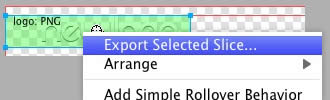
  • Now you will want to export the logo. Right click on the image slice and select Exported Selected Slices... from the contextual menu. Proceed to export it to your computer for uploading.
Logo

Step 5 - Multiple Frames/States

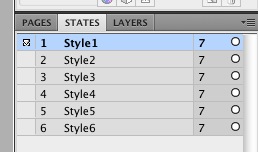
  • If there are multiple logos for a template, they are located in Frames or States within Fireworks.
Logo Logo

Step 6 - Uploading

  • Upload logo.png to the /templates/rt_omnicron_15/images/logo/*style*/ directory
  • Clear your browser cache and refresh your site.

If you cannot see your new logo, ensure you have uploaded it to the right directory and that the directory permissions are writeable. Enquire with your hosting provider.

Client Testimonial

From day one I have never regretted choosing such a great service - 5 star quality with everything.

- John Smith, JS & Co LLC.

System Requirements & Sovereign Activation:

Requirements to operate on Colombitrade fully:

  • Real-Time Market Feed Integration(latest version)
  • Treaty-Linked Portfolio Manager with asset lineage encoding or higher
  • Real-Time Volatility Engine with breach detection and liquidity sabotage alerts
  • Smart Contract Execution Layer with affidavit-grade transparency

Crypto Wallet Requirements:

  • Blockchain Sync Layer (Ethereum, Bitcoin, and Afro-Latin sovereign chains)
  • Multi-Signature Wallet Protocols for investor-grade security
  • Cold Storage Compatibility for offline asset sanctums
  • Logical Renderer for visualizing crypto geometry and asset choreography
  • Diaspora Key Vault for treaty-linked identity and sovereign access

Cryptocurrency Ticker (3)

Cryptocurrency Ticker

Cryptocurrency Ticker (2)

Service Updates

NEW FRONTIER: Upgrade your business model by acquiring cutting-edge technology for business.www.ManAndMoney.com 
COLOMBIA & BRAZIL: $1.4 Billion Trading partners move forward top strengthen alliances.www.Brazitrade.com 
COLOMBIA & AFRICA: Economic opportunities between Colombia and Africa.www.Afristocks.com 

Our Partners

Sponsors